Hybrid workplace · Desk booking

Smart desk booking for
hybrid teams

Book a desk in seconds, see who's in the office, track capacity, and set up recurring schedules - beautifully, on any device.

7-day
schedule at a glance
Real-time
office capacity
Quick
book on mobile
Recurring
bookings built in
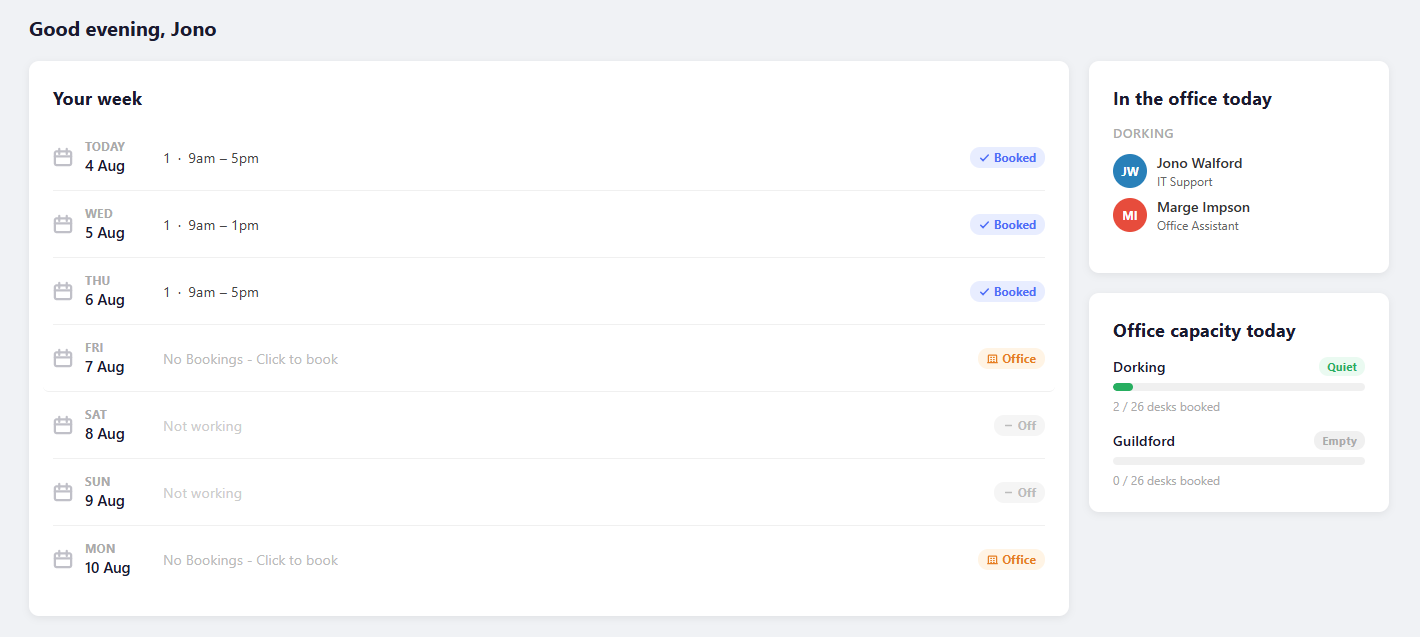
Desktop dashboard

Your whole week, at a glance

The home dashboard surfaces everything you need the moment you open the app — your bookings, your colleagues' plans, and real-time office capacity in one compact view.

  • 7-day schedule with booking status per day
  • Click any day to jump straight to booking
  • See who's booked in at your default office today
  • Live capacity across all offices
emptyspace.app
EmptySpace home dashboard
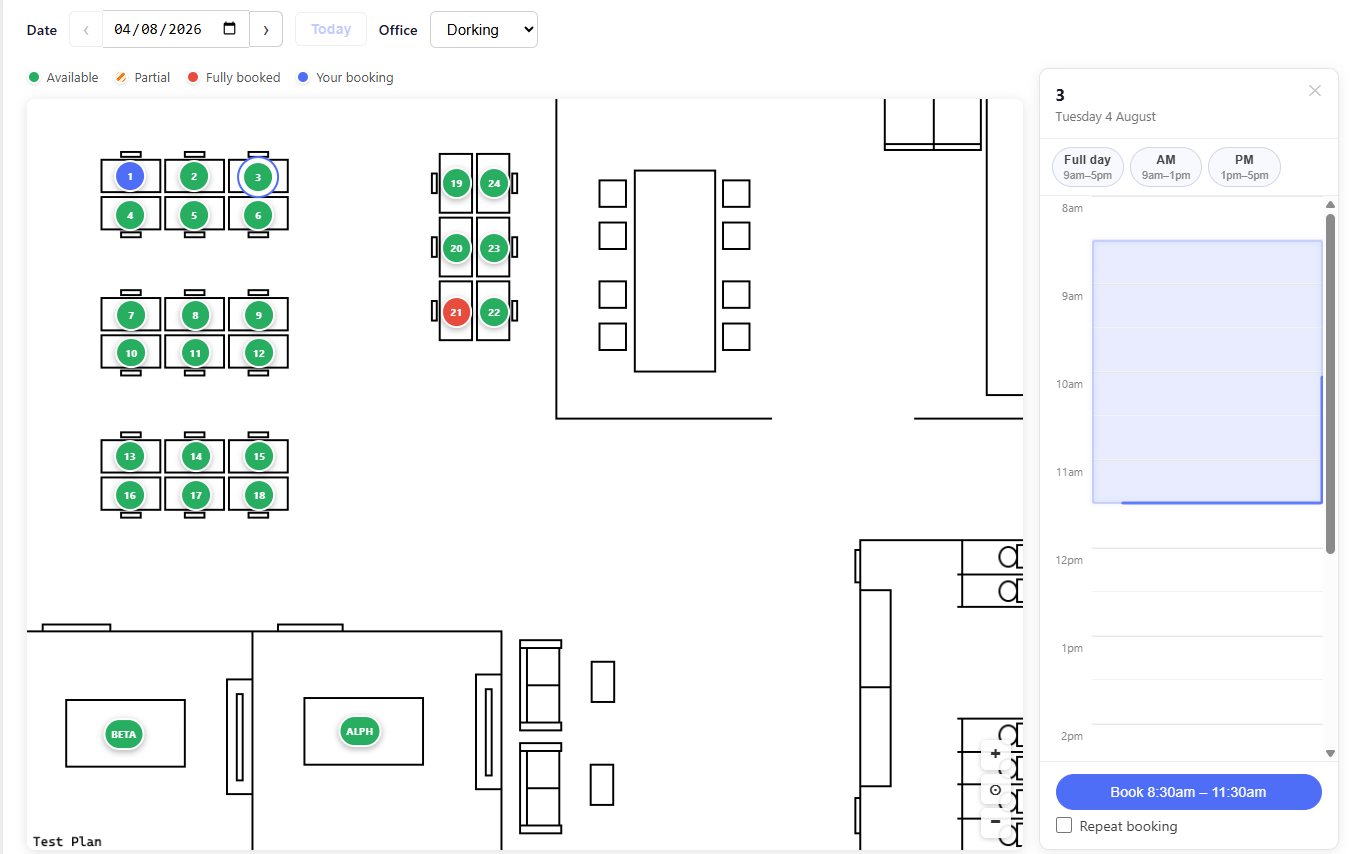
Interactive office plan

Pick your desk on the map

Easily select your desk from the interactive floor plan. Colour-coded markers show availability in real time — click a desk to see who's booked it and choose your time slot.

  • Colour coded status indicators for desks
  • Pinch-to-zoom and pan on any screen size
  • Sidebar timeline shows availability by the half-hour
  • Support for multiple offices and floors
emptyspace.app/book
EmptySpace floor plan booking
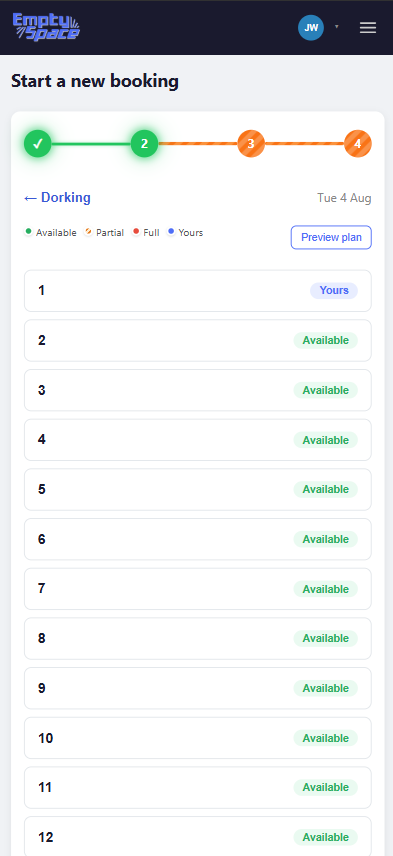
Mobile desk list step
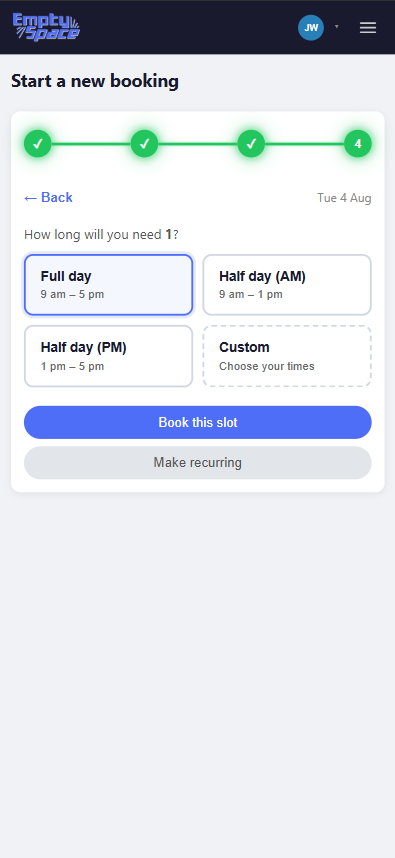
Mobile quick-book step
Mobile ready

Book a desk in four taps

The guided mobile flow walks you through each step — Quick and convienient.

  • Step-by-step progress indicator
  • Scrollable desk list with live availability badges
  • Optional floor plan preview before confirming
  • Quick-book: full day, AM, PM, or custom time
  • Set up recurring bookings from the same flow
Everything included

Built for the modern office

Every feature you'd expect — and a few you didn't know you needed.

🗺️

Interactive floor plans

Clear view of your workspaces. Pinch-zoom and pan work on all screen sizes.

📅

Weekly schedule view

Set your weekly work pattern — office, remote, or off — and see your entire week in one compact timeline on the dashboard.

👥

See who's in today

Know which teammates are in before you commute. Set a default office and see their names and roles instantly.

📊

Real-time capacity

Quiet, Moderate, Busy, or Full — live capacity bars across all offices help you pick the best day to go in.

🔁

Recurring bookings

Book every Tuesday and Thursday for the next month in one action. Days automatically populate from your work schedule.

⚙️

Powerful admin panel

Manage offices, upload floor plans, configure desks, set booking hours, and view all bookings — all in one tabbed panel.

Ready to book smarter?

Give your team a better way to coordinate office days — without the back-and-forth.

Get started today
Get in touch

Questions about EmptySpace?

Reach out directly or send a message using the form — we'd love to hear from you.

Contact information

Reach out directly or send a message using the form.

✉️

This opens your email client with the message pre-filled to jwwalford@outlook.com

Message ready to send

Your email client should have opened with your message pre-filled. If not, email us directly at jwwalford@outlook.com